
Download Sickle Cell – sickle cell anaemia, mobile app, health facility, screening, ABHA ID, real-time data, offline mode, patient management, disease elimination, India
Overview
The Sickle Cell mobile application is a dedicated tool developed by the National Informatics Centre as part of the National Sickle Cell Anaemia Elimination Mission. Designed specifically for health facility users across India, the app supports the national initiative to reduce the prevalence of sickle cell disease through early detection, accurate screening, and efficient patient management. The software enables healthcare professionals and support staff to register individuals, conduct screening and confirmatory tests, and maintain patient records in both online and offline environments. This dual-mode functionality ensures uninterrupted service in areas with limited or unstable internet connectivity, which is critical in rural and remote health settings.
The app’s primary purpose is to streamline the process of identifying individuals affected by sickle cell anaemia, thalassemia, or other related variants. By integrating with the ABHA (Anaemia, Blood disorders & Hereditary Anomalies) ID system, the software facilitates secure and accurate patient identification through mobile number linkage. Authentication is supported via OTP, fingerprint, facial recognition, demo authentication, or ABHA QR code scanning, ensuring robust identity verification. Real-time data capturing and offline data storage make the app adaptable to diverse operational conditions, supporting consistent data flow and reporting across the healthcare network.
Key Features & Capabilities
- ABHA ID Integration: Allows users to link patient records with ABHA ID via mobile number, enabling secure and centralized patient identification.
- Multi-Method Screening: Supports various testing protocols including Solubility/Slide Method, HPLC, Electrophoresis/Gazelle, and Point of Care for accurate diagnosis.
- Offline Registration & Data Capture: Enables registration and test recording without internet access, ensuring continuity in low-connectivity regions.
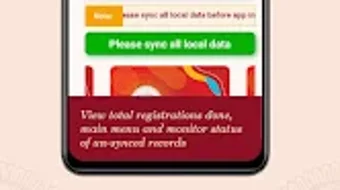
- Real-Time Data Syncing: Provides a syncing mechanism to upload offline data to the central server when connectivity is restored.
- Legacy Data Seeding: Allows ABHA seeding for previously registered patients who were not initially linked to an ABHA ID.
- Comprehensive Patient Management: Offers tools to view, track, and manage patient records throughout the screening and follow-up process.
These features collectively support the mission’s goal of disease elimination by enabling early detection and systematic follow-up. For example, a health worker in a remote village can register a patient using offline mode, conduct a screening test, and later sync the data once back in a connected area. The app’s ability to handle multiple diagnostic methods ensures compatibility with existing lab and point-of-care tools, enhancing its utility across different health facility levels.
User Interface, Workflow & Performance
The Sickle Cell app is designed with usability in mind, targeting healthcare professionals who may have varying levels of digital literacy. The interface appears structured around core workflows: registration, testing, data entry, and data sync. Navigation is likely intuitive, with clearly labeled sections and logical progression through each step of the patient journey. The app supports multiple authentication methods, which are integrated into the initial login or registration phase, ensuring secure access without compromising ease of use.
Workflow efficiency is enhanced by the ability to capture and store data offline, allowing uninterrupted operation during field visits or in facilities with poor connectivity. When internet becomes available, the syncing feature ensures that all recorded data is updated on the central system. The developer did not specify resource usage details, so exact performance behavior, such as CPU or RAM consumption, remains unspecified. However, the app’s 45 MB size suggests a lightweight footprint, which may contribute to smooth performance on mid-range mobile devices. Stability is expected to be consistent given the app’s targeted deployment in mission-critical health environments, though real-world performance observations are based on general software behavior patterns.
Compatibility & System Requirements
Sickle Cell is available for both Android and iOS platforms, ensuring broad accessibility across mobile devices used in India’s public health infrastructure. The app is compatible with Android and iOS operating systems, supporting a wide range of smartphones commonly used in health facilities. The software version is 1.0.1, with a file size of 45 MB, indicating a relatively compact installation. This size is suitable for devices with moderate storage capacity, which is common in government-issued or low-cost devices deployed in rural clinics.
Exact system requirements were not listed. This includes details on minimum processor speed, RAM, or supported OS versions. Compatibility information was partially provided, with no mention of specific hardware or software thresholds. The developer did not provide additional system requirements. As such, users should ensure their devices meet standard mobile operating system requirements for app installation, particularly in terms of OS version compatibility.
Pros and Cons
Pros
- Free to download and use, reducing barriers for public health facilities.
- Supports offline functionality, crucial for remote and low-connectivity areas.
- Integrates with ABHA ID for secure and standardized patient identification.
- Offers real-time data capture and sync capabilities for consistent record-keeping.
- Designed for health facility users with a focus on disease elimination and public health impact.
- Supports multiple testing methods, ensuring compatibility with various diagnostic tools.
Cons
- Exact system requirements were not specified, which may cause uncertainty for users.
- Performance metrics such as CPU or RAM usage were not provided.
- Limited information on update frequency or long-term maintenance plans.
- App availability is restricted to Google Play Store and Apple App Store, limiting alternative distribution.
- No information on accessibility features for users with visual or motor impairments.
FAQ Section
Is Sickle Cell available for both Android and iOS?
Yes, the Sickle Cell app is available for both Android and iOS devices, supporting a wide range of smartphones used in health facilities across India.
Can I use the app without an internet connection?
Yes, the app supports offline mode, allowing users to register patients, conduct screenings, and record test results without an active internet connection.
Is the app safe to use for patient data?
The app integrates with the ABHA ID system and supports multiple authentication methods, including OTP, fingerprint, and facial recognition, ensuring secure access and data handling.
How often does the app receive updates?
The app’s update frequency was not specified. Users should check the Google Play Store or Apple App Store for the latest version.
Do I need a license to use Sickle Cell?
No, the app is free to download and use. It is designed for health facility users under the National Sickle Cell Anaemia Elimination Mission.
Final Thoughts
The Sickle Cell mobile application stands as a vital digital tool in India’s national health initiative to combat sickle cell anaemia. With its focus on real-time data capture, offline functionality, and integration with the ABHA ID system, the app empowers health facility users to efficiently register, screen, and manage patients across diverse geographic and infrastructural conditions. Its design prioritizes accessibility and reliability, making it particularly valuable in remote and underserved regions where connectivity is inconsistent.
While detailed technical specifications and performance metrics are not provided, the app’s core features align with the needs of public health workers striving for early detection and intervention. The combination of secure authentication, flexible testing support, and data sync capabilities strengthens the integrity of the national screening program. For healthcare professionals involved in the National Sickle Cell Anaemia Elimination Mission, this app offers a practical, mission-driven solution to a persistent public health challenge.
Download Sickle Cell now







